
A high-performance, low-latency engine for live streaming and recording — every frame and sample moving through a native, hardware-accelerated pipeline.
stream-concern is a live streaming and recording app for macOS, Windows and Linux. Every frame and sample moves through a hardware-accelerated pipeline, from zero-copy capture to the platform's own encoders, with the user interface never in its way. Stream, record and cast at once and the machine stays with the game.
- Cross-platform. One engine and one feature set on all three desktops, not a port that trails on two of them.
- Native UI. Each app is built with its platform's own toolkit, so it looks, scrolls and takes shortcuts like the rest of your desktop, and opens in a moment.
- Performance. Hardware encoders, pre-allocated frame buffers and no work on the UI thread: low latency you do not have to configure.
Features, not plugins
Everything here ships in the app. In other streaming apps each one is a plugin to find, install and keep working after every update, or it does not exist at all.
- Automated scene switchingRotate through your scenes on a timer, in order or at random, come back to a main scene in between, or pop scenes up over it. Each scene's cameras and media start a moment early, so a switch never shows one warming up.
Linux
Linux screenshot not taken yetThe main window with the Scene Automation window over the canvas area while automation runs with a 3 s dwell: each ticked scene goes on Program in turn, the Next badge moves down the scene list, AUTO shows in the status bar, and the window's rotation list follows; at least three scene changes in the clip. - Multi-track audio mixer with VST3, CLAP and Audio Unit pluginsFaders in dB, solo, pan law, monitoring, sync offset, filters with broadcast-standard defaults and EBU R128 loudness, every input routed to any of six recording tracks, and the VST3, CLAP and Audio Unit plugins already on your machine on a strip's chain, each checked in its own helper process so a broken plugin cannot take the app down.
Linux
Linux screenshot not taken yetA clip of the Mixer panel, every frame cropped as the picture was: the meters and the loudness read-out move with the canvas's test-pattern audio. The Mixer panel with the fixture's Desktop audio and Microphone strips and Master, and the EBU R128 loudness meter showing a reading on the program bus. - Hotkeys and MIDIChoose your own shortcuts, including global ones that work while a game is in front, and map MIDI pads and faders with Learn.
Linux
Linux screenshot not taken yetA clip: the main window with the Settings window over its canvas area, opening on Settings ▸ Video, then (0.8 s in) Settings ▸ Hotkeys arrives with at least one keyboard binding row; on macOS the MIDI page follows about 3.5 s later with a pad and a fader mapped (Windows and Linux keep MIDI on a separate page, so their clip shows the keyboard bindings only, to the end). - Stream to multiple placesStream to as many services as you like and record at the same time, each output with its own settings; outputs with the same settings share one encoder. 78 services know their own limits.
Linux
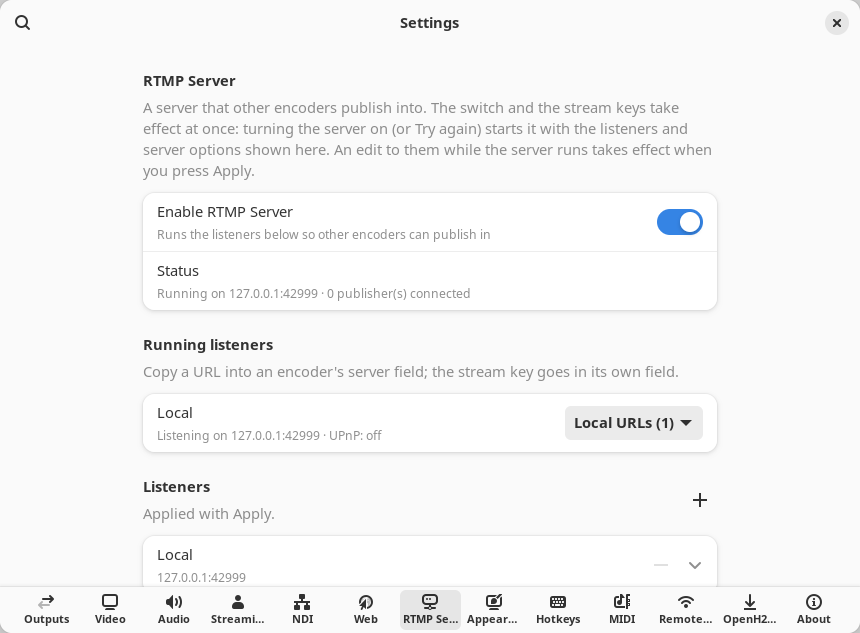
Linux screenshot not taken yetA clip of the Outputs column, every frame cropped as the picture was, while both streams run: their bitrate and time tick. The Outputs column cropped to its content (about 600 px wide, 600 to 800 px tall, no empty space below): the Streaming group with Stream all and its two stream outputs (Twitch and YouTube) running against the app's own RTMP server on 127.0.0.1, each row's Live status line with its bitrate and time; the HEVC recording idle; the Senders group; on macOS the Output canvas card. The clip runs at the owner's own streaming setup: a 1920x1080 @ 60 canvas (the idle recording row reads 1920×1080 @ 60), Twitch at 6000 kbps and YouTube at 14000 kbps, so the Live rows read about 6.0 Mbps and 14.0 Mbps; the rest of the collection stays at 1280x720 @ 30. Nothing leaves the machine; no stream key on screen. - RTMP ingest with UPnPReceive a feed from a phone, a second PC or another encoder straight into a scene. The built-in RTMP / RTMPS server opens its port through your router with UPnP and hands you the public URL and stream key to paste into the sender.
Linux
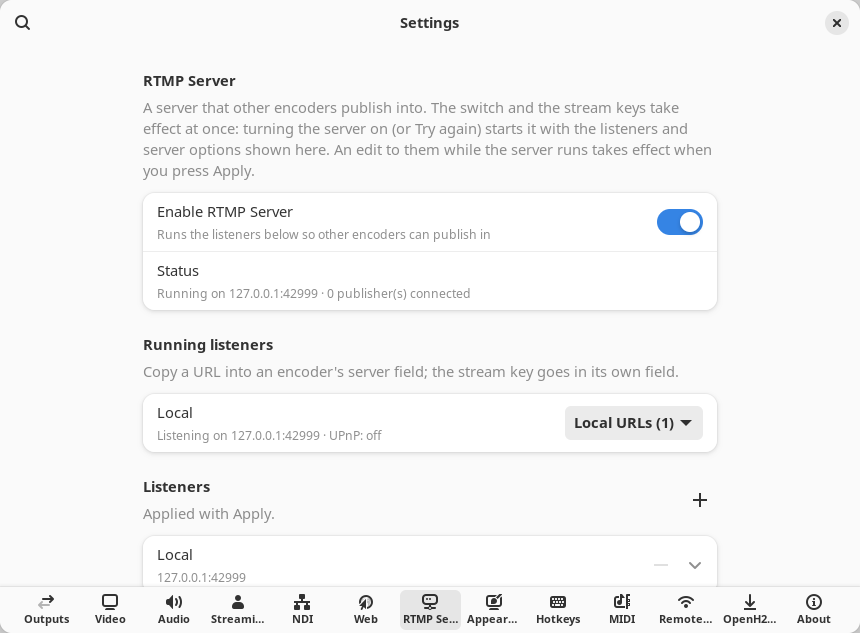
- News tickerA news-channel crawl: up to four scrolling lanes under a badge, a headline or a clock, with items read from a text file you can edit while you are live.
Linux
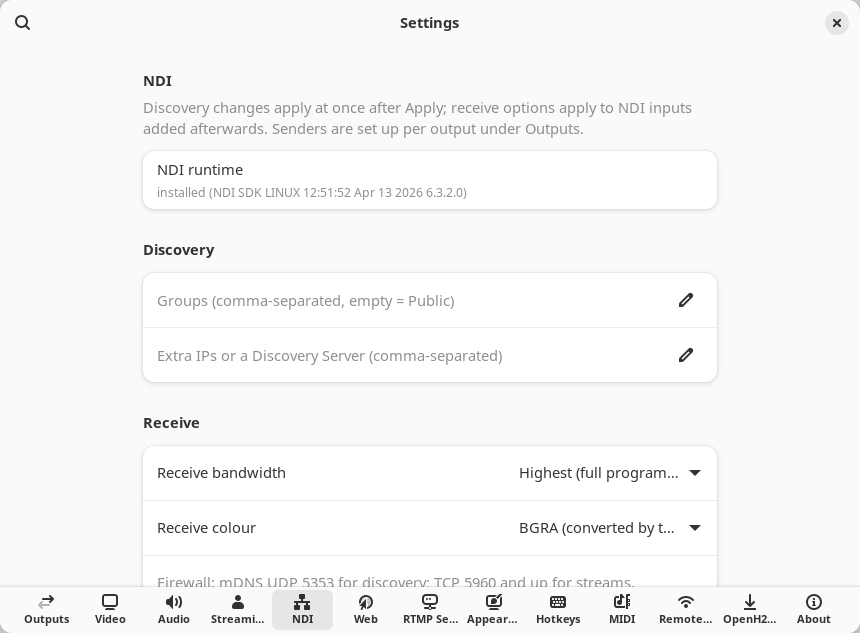
Linux screenshot not taken yetA clip of the main window while the three lanes scroll. A news crawl layer across the bottom of the canvas with three lanes, each scrolling text at its own speed on its own background: a fast ticker of short headlines beside a red BREAKING badge, slower longer stories beside an amber TOP STORIES pin, and scores and the weather beside a clock; the layer selected with its Crawl section open in the inspector. - Syphon / Spout / NDI / PipeWireMove video in and out of the app over the interchange your platform speaks, with no re-encode.
Linux
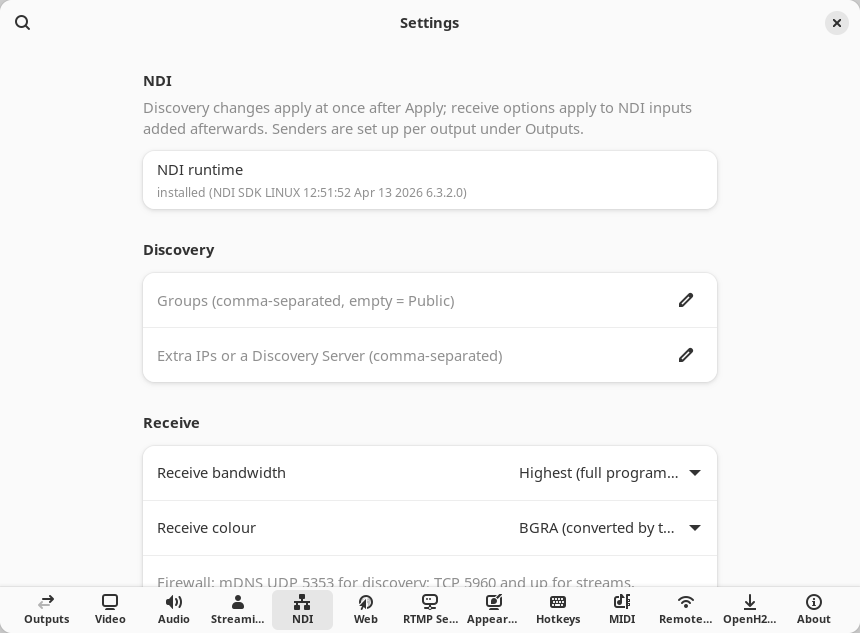
- Stream Deck and remote control over websocketsThe app's own Stream Deck plugin, and a websocket remote-control server so other controllers drive it too.
Linux
Linux screenshot not taken yetA clip: the main window with the Settings window over its canvas area, opening on Settings ▸ Video, then (0.8 s in) Settings ▸ Remote control arrives, to the end, with the server on, its status, address and port, the password masked and the Stream Deck host and port shown; no real token on screen. - MCP server for AI agentsLet an AI agent run the show through the Model Context Protocol: switch scenes, start outputs and read the app's state, with tool groups you choose and a confirmation before anything goes live.
Linux
Linux screenshot not taken yetA clip: the main window with the Settings window over its canvas area, opening on Settings ▸ Video, then (0.8 s in) Settings ▸ Remote control arrives and from about 2 s scrolls down to the MCP server for AI agents group with the server on, which stays to the end; no token on screen.
Sign up for the alpha and